Folded Wedding Program Card Mockup PSD: A Practical Tool for Designers
When it comes to creating stunning visual presentations for wedding-related designs, having the right tools can make all the difference. The Folded Wedding Program Card Mockup PSD is one such resource that helps designers and creatives showcase their work in a realistic and professional manner. Whether you're an event planner, graphic designer, or someone crafting personal invitations, this mockup offers a seamless way to present your folded cards in a lifelike setting.
What Is a Folded Wedding Program Card Mockup?
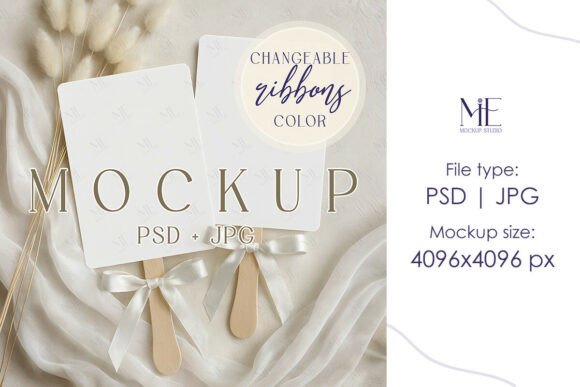
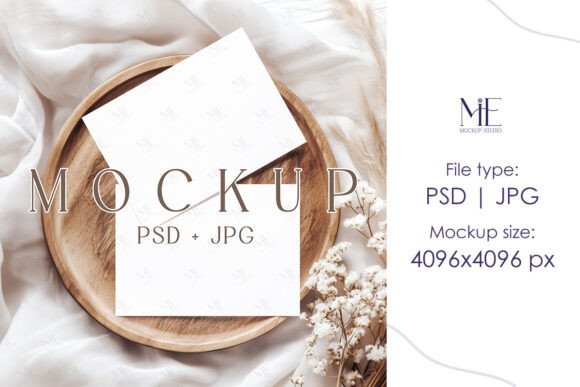
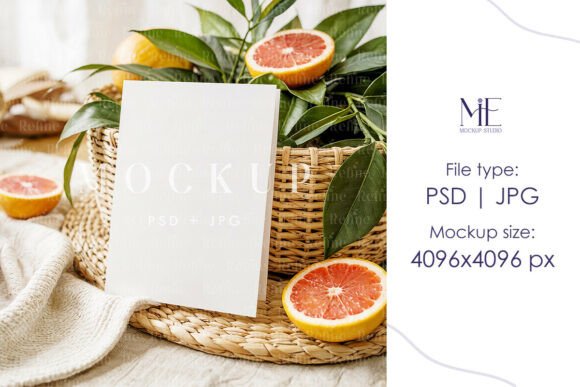
A Folded Wedding Program Card Mockup is a digital representation of a real-life folded card used to display the order of events during a wedding ceremony. These mockups are typically created using Adobe Photoshop and come in the form of a .PSD file, allowing users to edit the layers and insert their custom designs without needing advanced design skills. The goal is to provide a realistic backdrop that makes your design look like it's already been printed and assembled.
Key Features of the Folded Wedding Program Card Mockup PSD
- Smart Object Layers: Easily replaceable elements within the PSD file ensure that inserting your design is quick and hassle-free.
- High-Resolution JPG File (4096x4096): Provides a crisp, detailed final image suitable for online portfolios or client presentations.
- No Watermarks or Text: Clean, professional visuals so your work remains the focal point.
- 5x7 Inches Size: Perfectly proportioned to match standard folded invite dimensions, ensuring accuracy in presentation.
Why Use a Folded Wedding Program Card Mockup?
These mockups serve multiple purposes beyond just aesthetics. They help in presenting your design with context, making it easier for clients or audiences to visualize how the final product will appear. Here are some reasons why professionals and hobbyists alike might find these mockups invaluable:
- Client Presentations: Showcasing a folded program card mockup allows clients to get a clear idea of the finished product before printing.
- Portfolio Enhancements: Including mockups in your portfolio adds a layer of professionalism and realism to your work.
- Marketing Materials: For businesses offering stationery services, mockups can be used in promotional content to demonstrate available options.
- Design Testing: Experiment with different layouts, fonts, and colors to see how they look when folded and placed in a real-world scenario.
Who Can Benefit from Using This Mockup?
The Folded Wedding Program Card Mockup PSD is ideal for a wide range of users. Graphic designers who specialize in event planning can use it to present their latest creations. Business owners running print shops or online invitation services may benefit by offering mockups as part of their package. Even individuals planning their own weddings can utilize this tool to preview what their programs will look like before committing to a final print run.
Real-World Applications
Consider a freelance designer working on a beach-themed wedding. By using the Summer Beach Folded Card Mockup, they can place their program card into a scenic coastal environment, giving the client a more immersive view of how it will fit into the overall theme. Similarly, the Boho Booklet Invitation Card Mock-up could be used to pair the program card with other rustic-style elements, ensuring a cohesive look across all printed materials.
Strengths and Limitations
One of the biggest strengths of the Folded Wedding Program Card Mockup PSD is its ease of use. With Smart Objects, even those new to Photoshop can customize and export high-quality images in minutes. The inclusion of both .PSD and .JPG formats also gives flexibility depending on the intended use—whether editing further or sharing the final output.
However, there are some limitations to consider. Since it’s a digital-only product, it requires access to Adobe Photoshop to fully utilize the editable features. Additionally, while the mockup provides a realistic appearance, it cannot account for all environmental lighting or texture nuances that a physical sample might offer. Still, for most digital needs, it serves as an excellent approximation.
How to Get Started with Your Mockup
If you're interested in trying out the Folded Wedding Program Card Mockup PSD, here's a simple step-by-step guide to begin:
- Purchase the mockup from a trusted digital marketplace or vendor.
- Download the file instantly after checkout. No shipping required!
- Open the .PSD file in Adobe Photoshop.
- Locate the Smart Object layer—usually labeled clearly for easy identification.
- Double-click the Smart Object to open it and add your design.
- Save the changes and close the Smart Object window.
- Preview your design within the mockup and save the final image as a high-resolution JPG for use in presentations or websites.
This straightforward process ensures that even beginners can quickly learn how to use the mockup effectively.
Evaluating Suitability for Your Projects
Before purchasing a Folded Wedding Program Card Mockup PSD, it's important to assess whether it aligns with your specific project needs. Ask yourself the following questions:
- Do I need a realistic digital presentation of a folded card?
- Will my audience appreciate seeing the design in a natural setting?
- Am I comfortable using Adobe Photoshop or similar software?
- Is the size (5x7 inches) compatible with my existing design templates?
Answering these questions can help determine if the mockup is the best fit for your workflow. If your answer leans toward "yes," then the Folded Wedding Program Card Mockup PSD is likely a great investment.
Combining Mockups for Enhanced Presentation
Many designers don't stop at one mockup. By pairing the Folded Wedding Program Card Mockup PSD with complementary products like the Boho Booklet Invitation Card Mock-up or the Folded Invitation Template, you can create a full suite of visuals that represent the entire wedding stationery line. This approach not only saves time but also enhances the storytelling aspect of your design work.
Expectations and Best Practices
While these mockups are highly effective, understanding what they can and cannot do is essential. Expect them to deliver sharp, clean results when used properly. However, avoid over-editing the background or adding too many effects, which can detract from the realism. Stick to subtle color adjustments or minor enhancements to maintain the mockup's intended look.
Additionally, keep in mind that the mockup should be used as a presentation tool rather than a replacement for physical samples. It's perfect for digital previews, but for tactile feedback or precise paper quality checks, a printed version is still necessary.
Where to Find the Folded Wedding Program Card Mockup PSD
Several platforms offer access to this type of mockup, including popular design marketplaces like Creative Market, Envato Elements, and others. Always check reviews and ratings to ensure you’re getting a reliable, high-quality template. Look for vendors who include both .PSD and .JPG files for maximum usability.
Final Thoughts
In summary, the Folded Wedding Program Card Mockup PSD is a versatile and valuable asset for anyone involved in wedding design or event planning. Its combination of realism, ease of use, and compatibility with various themes makes it a go-to choice for showcasing folded cards in a digital format. Whether you're preparing for a client meeting or simply want to refine your design before printing, this tool provides clarity and professionalism at every stage.